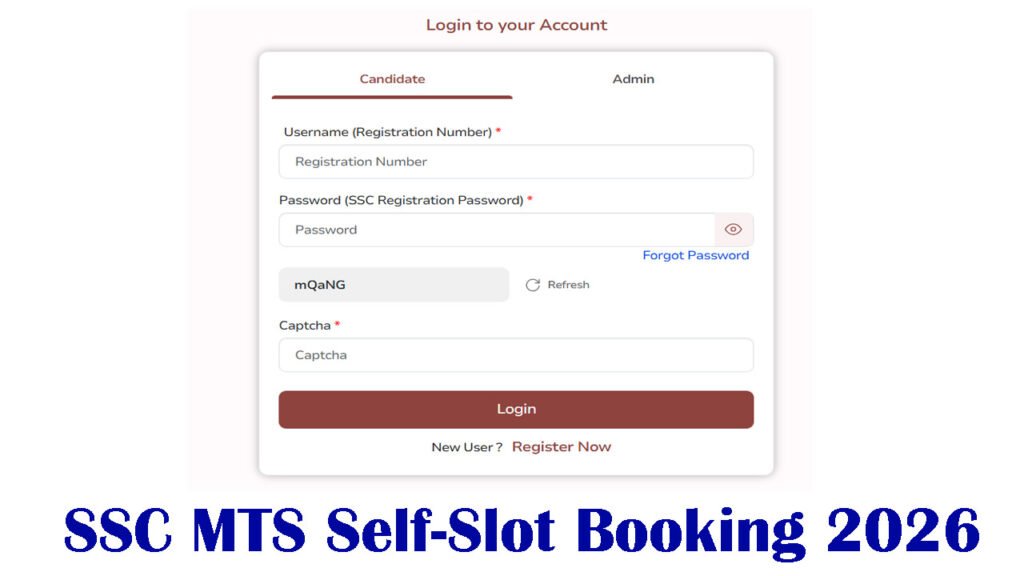
SSC MTS Self-Slot Booking 2026 :- The Staff Selection Commission (SSC) has started the self-service slot booking for the Multi-Tasking Staff and Havildar Examination 2025 from 16 to 25 January 2026. After booking your slot, you will be able to confirm your exam city, exam date, and exam shift. If you want to choose your preferred exam city and date, you must book a slot. If you do not book a slot, the SSC will assume that you will not be appearing for the examination. Therefore, it is mandatory for all candidates to book a slot.
Slot booking for the SSC Multi-Tasking Staff recruitment 2025 has begun. Information on how to book your slot is provided below. You can easily book your SSC MTS slot by logging in to the official website. The complete slot booking process is explained below. For more information, please check the official website, a direct link to which is provided below.
SSC MTS Self-Slot Booking 2026 About :-
| Organization Name | Staff Selection Commission (SSC) |
| Name of the Posts | Multi Tasking Staff (MTS) & Havaldar |
| Number of Vacancy | 8021 Posts |
| CBT Exam Date | 04.02.2026 Onwards |
| Self-Slot Booking | 16 to 25 January 2026. |
| Official Website | ssc.gov.in |
SSC MTS & Havaldar Self-Slot Booking 2026 :-
All candidates who have filled out the SSC MTS form must complete the self-slot selection, i.e., booking. If you do not book a slot, you will not be allowed to appear for the exam. Therefore, all candidates must book their slots. After booking your exam city and date, prepare to travel to the exam city to take the test. Your exam will be conducted in the city you mentioned in your application form while filling it out. For other important information, please continue reading this article.
Important Date :-
| Start Date for Apply Online: | 26.06.2025 |
| Last Date for Apply Online | 24.07.2026 |
| Self-Slot Booking | 16 to 25 January 2026. |
| Exam Date | 04.02.2026 Onwards |
| Admit Card Download | Available Soon |
How to Book SSC MTS Exam City & Date Booking ?
- .First, go to the official website of the Staff Selection Commission.
- Now you need to go to the login option.
- After that, the login page will open.
- Here, you will log in by entering your registration number and password.
- Then, its dashboard will open. Go to Application History.
- Click on “Select Exam Date Sheet Shift” given below Multitasking Staff.
- After that, you will get the option to select the exam city; select it.
- Finally, click on “Final Submit,” and your slot will be booked.
Important Link :-
Frequently Asked Questions (FAQ):-
First, go to the official SSC website.
04.02.2026 Onwards
16.01.2026 Start